Mixed Reality & Children: A User Study Using Microsoft HoloLens
Note: Due to the age of participants, no photos from the study are displayed to respect privacy.

Project Overview
Goal
This study aimed to explore how children interact with Mixed Reality technology using the Microsoft HoloLens and compare their experience with adult users from a previous study. As the researcher, I planned and conducted the study, analyzed both quantitative and qualitative data, and derived insights into usability, interaction patterns, and emotional responses.
Tools & Environment
- Device: Microsoft HoloLens (Mixed Reality headset with spatial tracking, hand gestures, voice input, and gaze detection)
- App: Galaxy Explorer, an open-source, educational MR app that allows users to explore planets using gestures and voice
- Data: System log files, gaze and gesture tracking, post-interaction questionnaire using the Geneva Emotion Wheel (GEW)
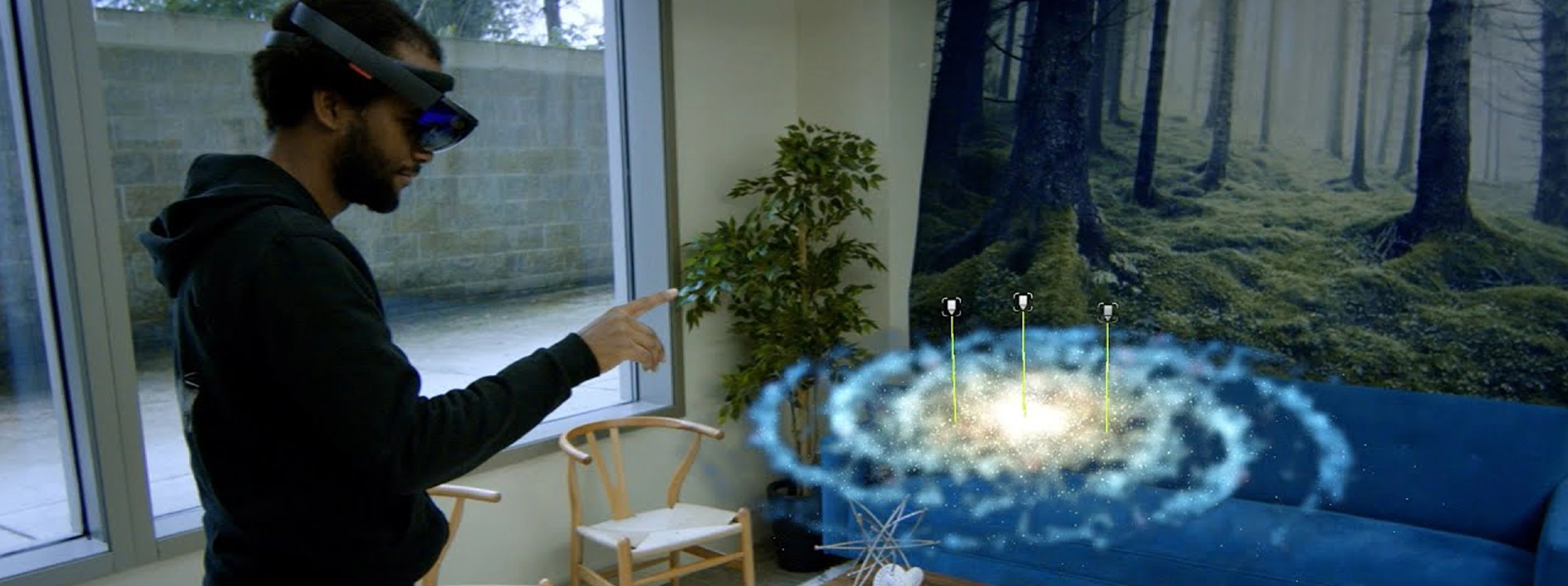
Galaxy explorer, image from microsoft

Study design
Participants
- 20 children aged 8–15
- All participants had no prior HoloLens experience
Methodology
The study followed three main phases:
- Training Phase: Children learned HoloLens interactions using a gesture tutorial app
- Main Task Phase: Participants completed 15 interaction tasks within Galaxy Explorer (e.g., select planets, grab/move objects, zoom/tilt views)
- Interview + Questionnaire: A post-task 1:1 interview and a spoken questionnaire (GEW) helped assess emotional state and usability pain points
Pilot Study
A pilot with one participant (11 years old) validated the task structure and revealed the need for more in-depth training on gestures. This improved the overall clarity and flow of the final session structure.
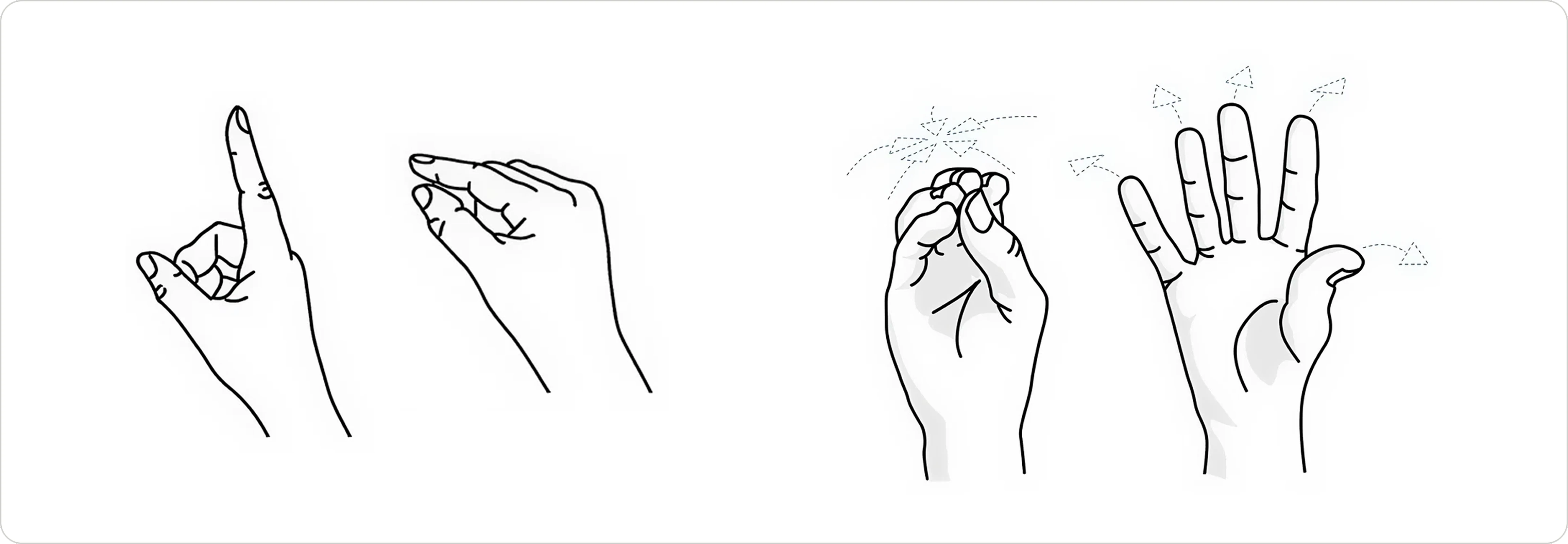
Air tab and Bloom gesture on Hololens

Task List (Main Phase Sample)
- Find and select the "Solar System"
- Find, select, grab and reposition the "Sun" using hand gestures
- Find, select, grab, reposition and zoom into the "Earth" using hand gestures
- Find, select and tilt Uranus using hand gestures
- Find and select the "Galactic Center"
- Find and select "Sagittarius A*"
- Close the application using the "Bloom" gesture
Tasks mirrored those used in the previous adult study to allow for direct comparison.

Data Collection
Quantitative Metrics
- Time taken to complete tasks
- Number of tap attempts
- Gaze tracking patterns
- Frequency of repeat views before selection
Qualitative Feedback
- Observation of emotional response, gesture challenges, and cognitive load
- Open-ended feedback about comfort, enjoyment, and friction points
- Emotional state captured via the Geneva Emotion Wheel (GEW) for children
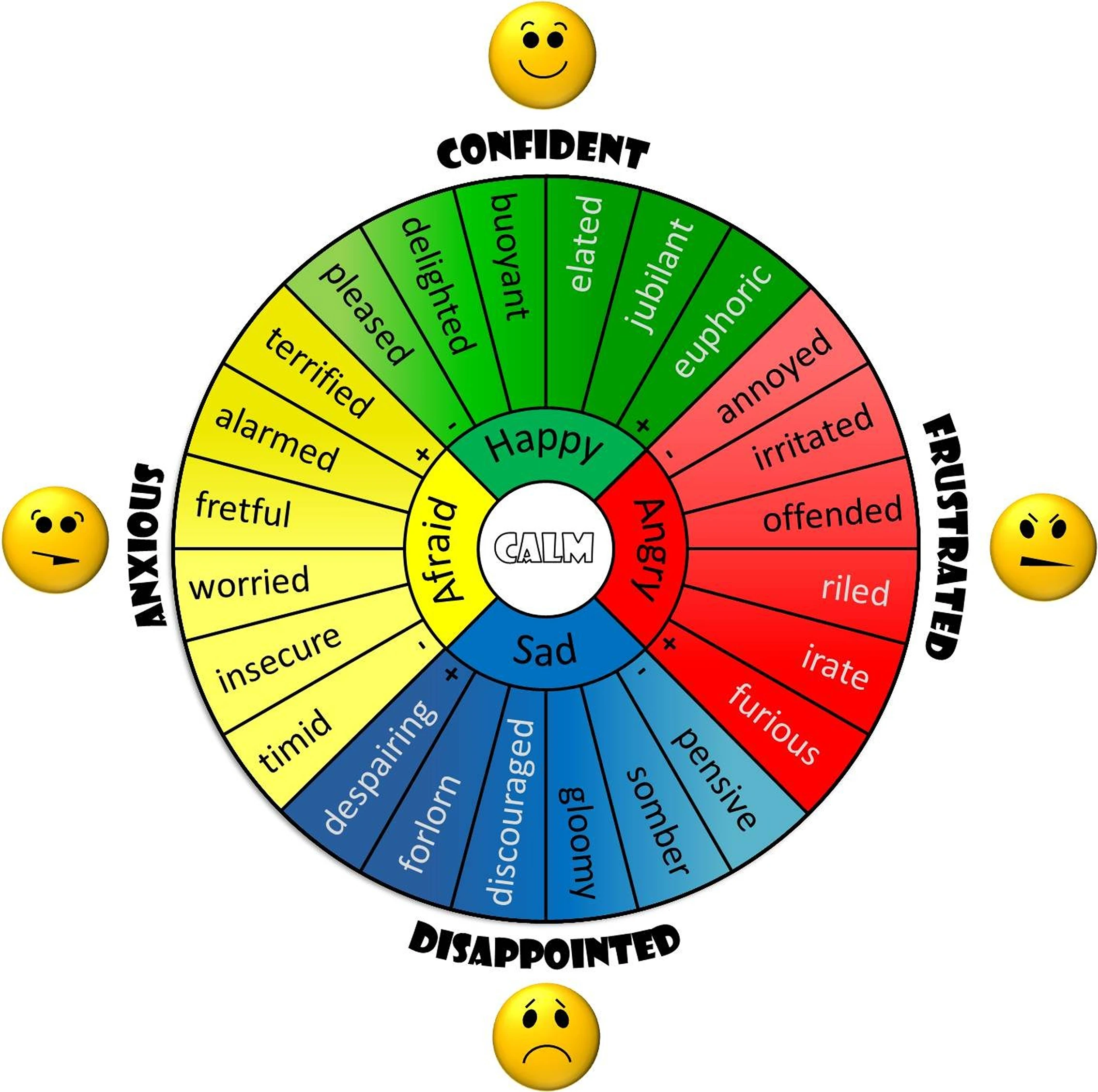
Geneva Emotion Wheel (GEW) for children
Key Findings
Quantitative Analysis
No significant difference in task completion time between children and adults
- Adults: M = 523.45s, SD = 186.43
- Children: M = 485.95s, SD = 103.12
- (t(49) = 0.820, p = .416)
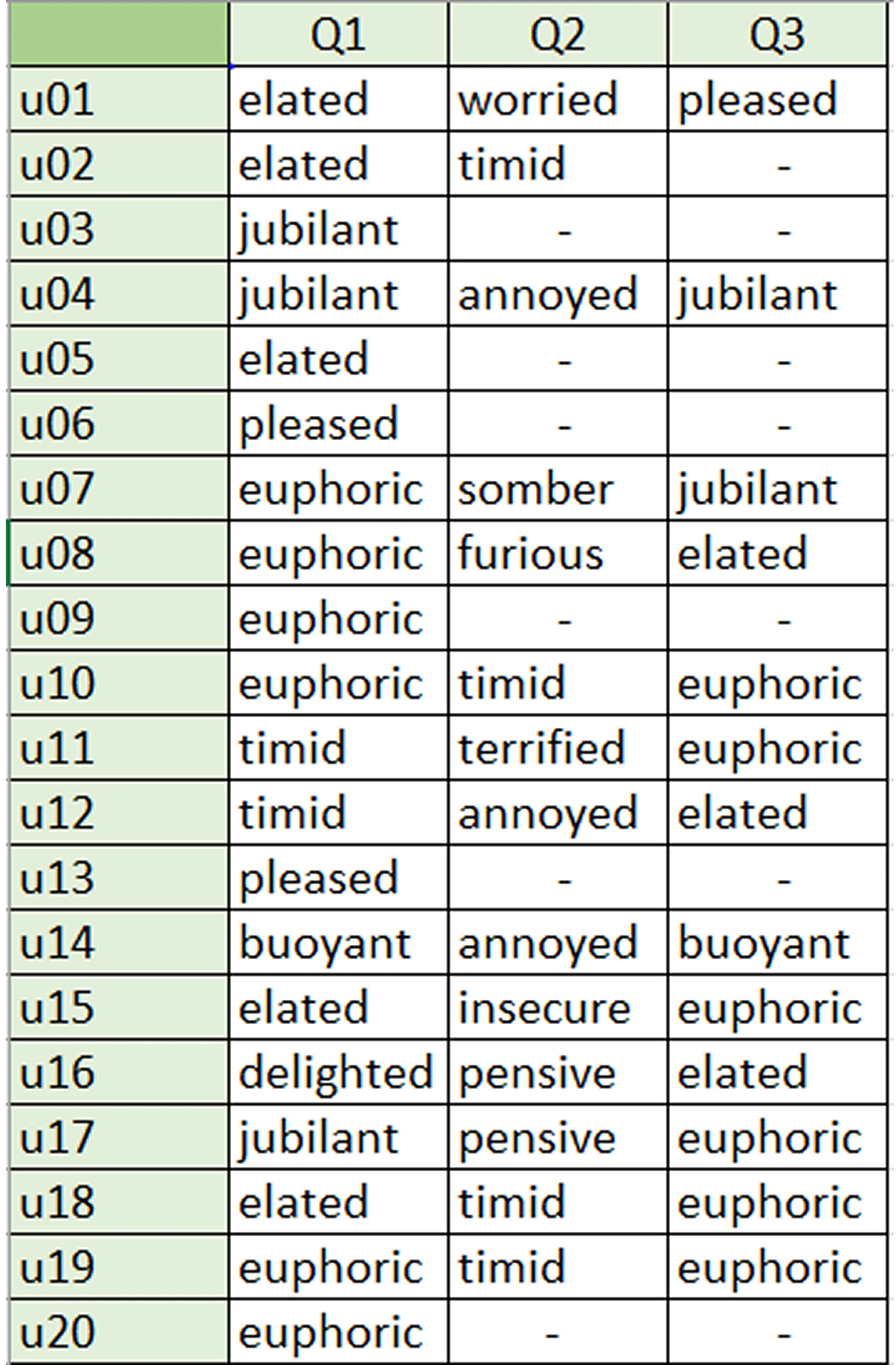
Participant's answers from the GEW
Qualitative Insights
Gesture Usability
- Younger children (<10) found Air Tap and Zoom difficult at first, but improved with repetition.
- The "Bloom" gesture was universally misunderstood; most expected a visible icon to interact with.
- Some users avoided Zooming altogether due to confusion or prior difficulty.
Emotional & Physical Comfort
Children were excited by MR but physically fatigued after ~30 minutes:
- "It was too heavy on my nose." – User 19
- "It was too heavy that I wanted to sit." – User 18
Participants wearing glasses had trouble adjusting the headset for clarity and comfort.
Some children became disoriented when they could not find planets like Earth, especially if they had navigated outside the Solar System.
Perceived Delight
Users were amazed by spatial audio and hand-tracking:
- "It's like VR, but HoloLens can see my hands, so I can select the planets." – User 6

Outcome & Reflection
Limitations
- Device discomfort: Most children experienced fatigue due to the HoloLens weight
- Eyewear compatibility: Participants with glasses had setup challenges
- Minor app bugs: Toolbar issues and unresponsive buttons occasionally required restarting the app
- Environment setup: Some children preferred sitting, which may have altered interaction style compared to standing users
Conclusion
This study demonstrated that children aged 8–15 can effectively interact with Mixed Reality environments after minimal training, but interface and hardware design must adapt to their needs. Gesture clarity, comfort, and onboarding are critical.
As the researcher, I applied both UX research methods and data analysis skills to produce a rigorous comparative study. The insights gathered here contribute to understanding how younger users engage with emerging technologies — and what we must improve to make them inclusive and usable.